UPSC Clipper · Chrome extension
Read the newspaper once. UPSC Clipper files it by GS paper and makes sure you revise it.
Highlight lines in The Hindu, Indian Express or PIB. UPSC Clipper tags each one to your GS paper and topic, brings it back for revision at the right time, and turns your month into a clean PDF compilation.
🚀 Coming soon: UPSC Clipper is being reviewed by the Chrome Web Store. Installing from the Web Store opens here shortly. Want a message when it's live? Contact us.
- Private by designYour data stays on your computer
- No accountNo tracking, no ads
- The Hindu, IE, PIBPRS, Down To Earth, Drishti IAS…
- GS1–GS4 syllabusBuilt in, auto-tagging
Audience
Who it is for
UPSC CSE aspirants and State PSC aspirants — TSPSC, APPSC and others — who read current affairs online: The Hindu, The Indian Express, PIB, PRS, Down To Earth, Drishti IAS and more.
Features
How it works
Highlight
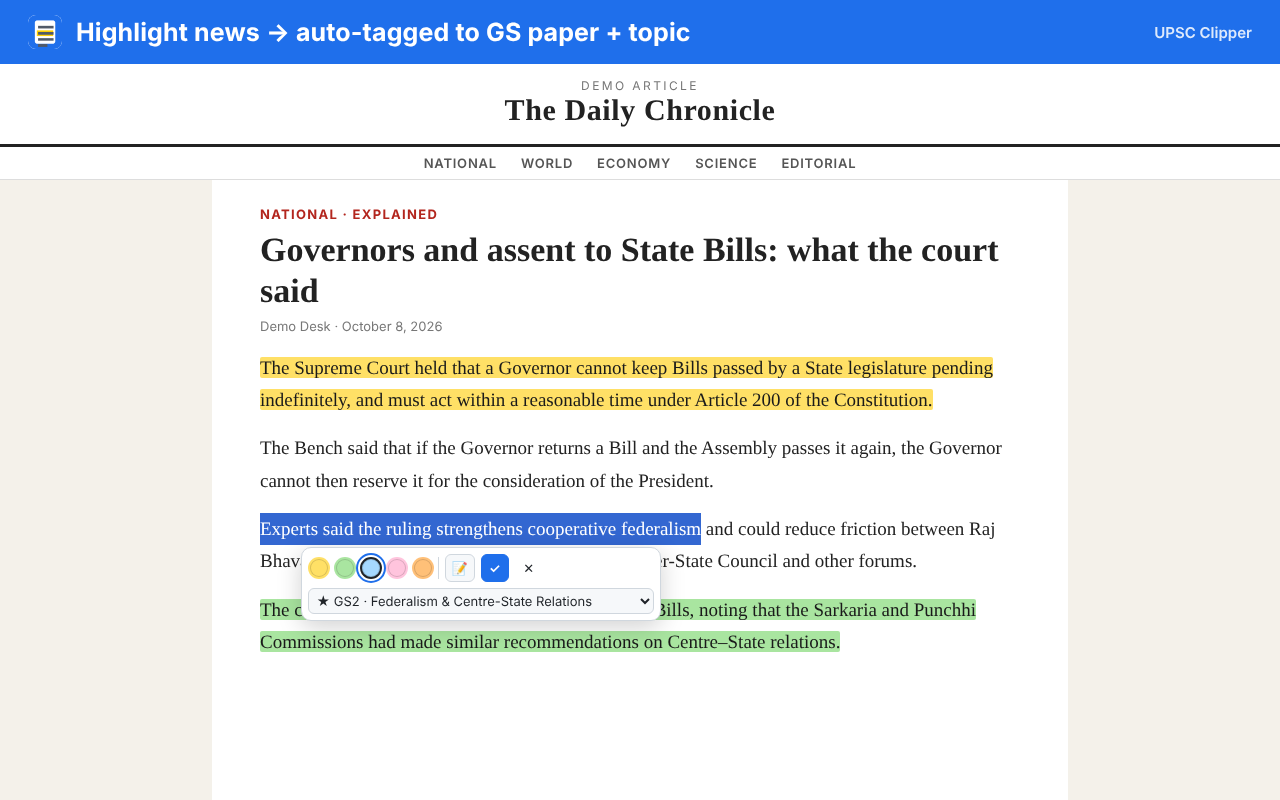
Select a line on a news page → pick a colour → ✓. Add a note if you like. Your highlights come back every time you reopen the article.
Auto-tag GS paper + topic
Each clip is suggested a syllabus slot — e.g. GS2 · Federalism & Centre–State Relations — from a built-in GS1–GS4 syllabus. Change it in one click.
Library
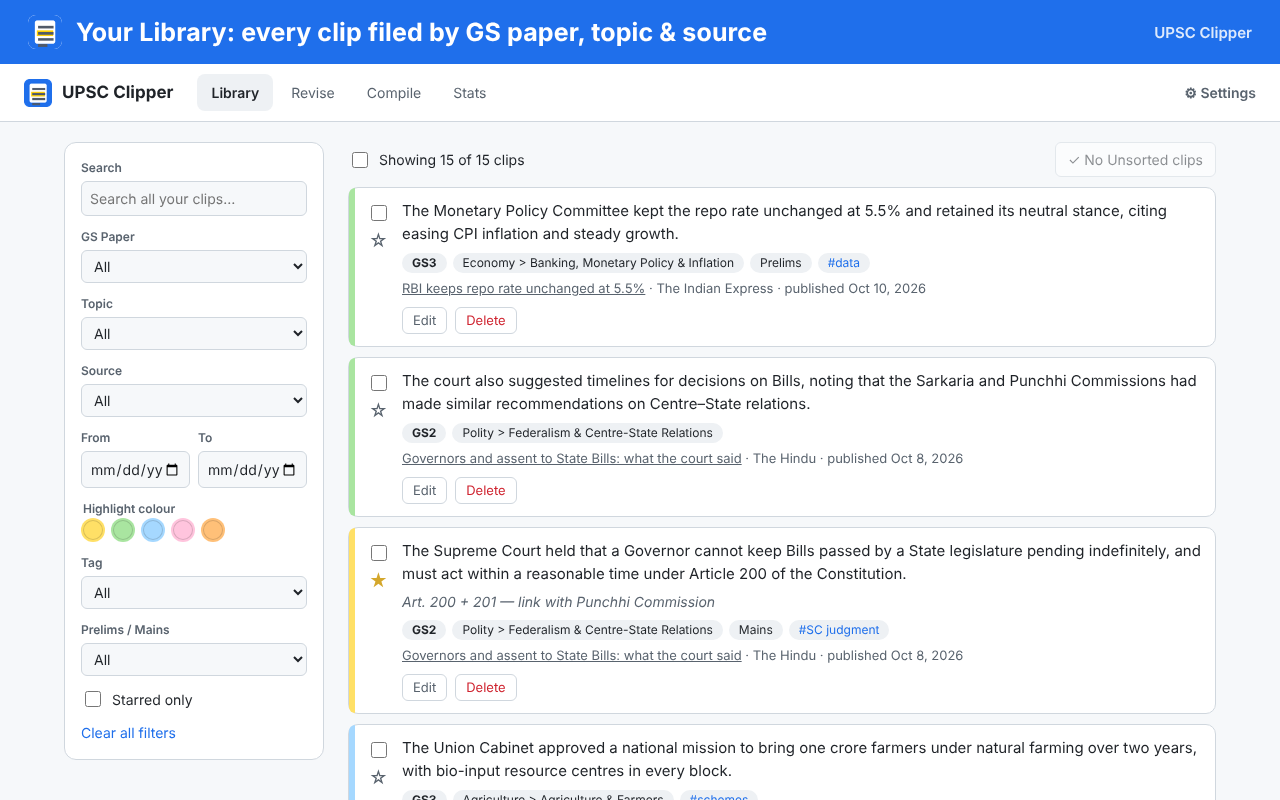
All clips in one place. Filter by GS paper, topic, source, date, colour, tags, Prelims/Mains or starred; search everything.
Spaced revision Pro
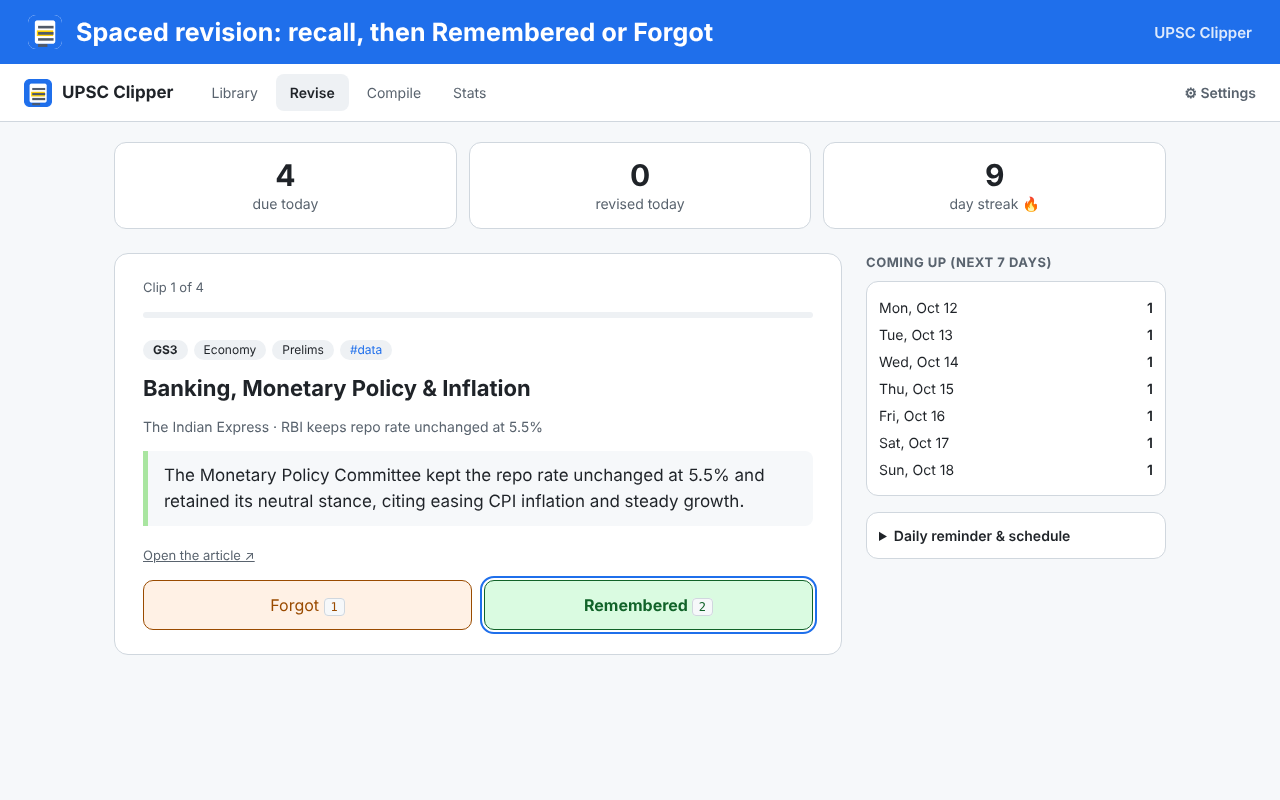
Clips come back after 1, 3, 7, 15, 30 and 60 days. See the topic, recall, then mark Remembered or Forgot. Daily badge, reminder and streak.
Monthly compilation PDF Pro
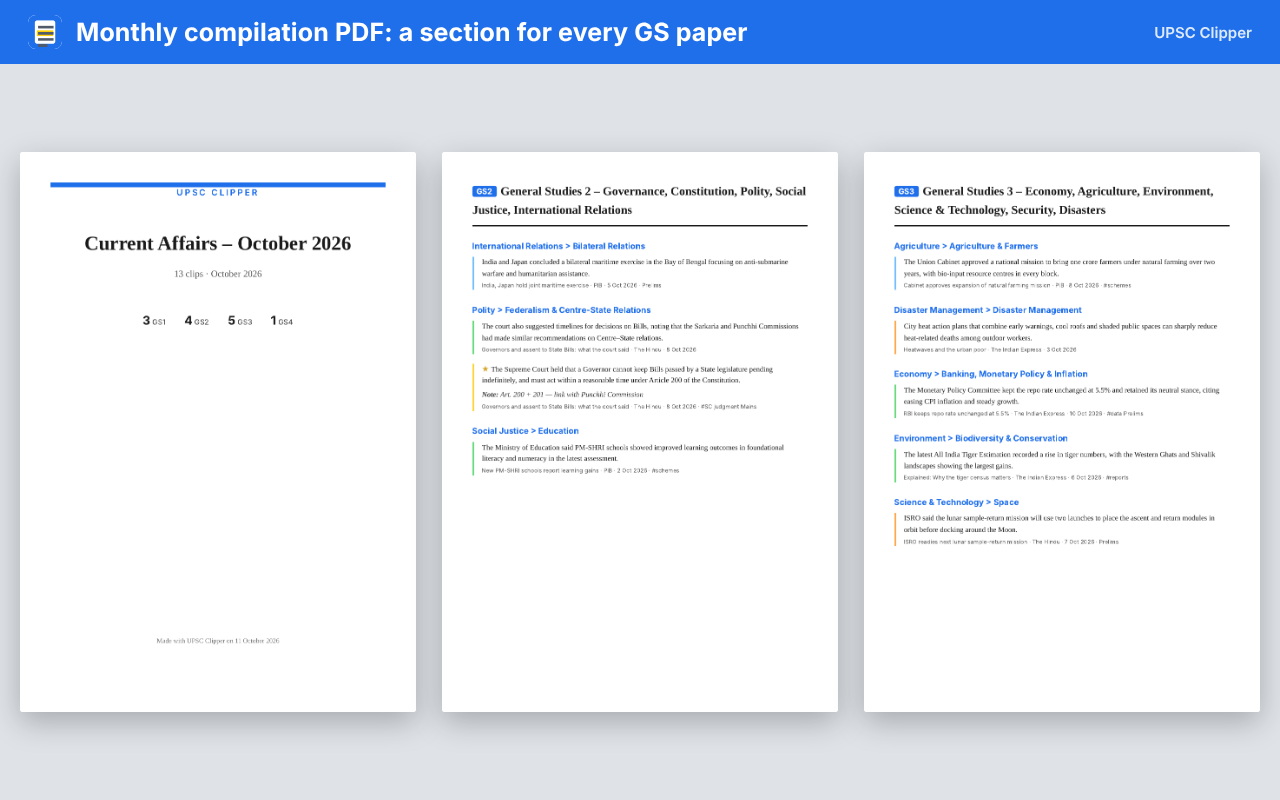
Pick a month → get a booklet with a cover, contents and a section for every GS paper. Save as PDF and revise offline.
Private by design
Private by design: all your data stays on your computer. No account, no tracking, no ads.
In three steps
Highlight → file → revise
Highlight while you read
On The Hindu, Indian Express or PIB — one click per line.
It's filed by GS paper
Every clip lands in the right GS paper and topic, ready in your Library.
Revise at the right time
Pro brings each clip back on schedule and builds your monthly PDF.
Screenshots
See it in action
Compare
Free vs Pro
| Feature | Free | Pro |
|---|---|---|
| Unlimited highlighting on news sites, with notes and colours | ||
| Auto-tagging to GS paper and topic | ||
| Library: filters, search, tags, stars, bulk edit | ||
| Backup and restore of all your clips | ||
| Markdown / Excel (CSV) export | up to 50 clips at a time | Unlimited |
| Spaced revision (1, 3, 7, 15, 30, 60 days), streak, "due today" badge | — | |
| Daily revision reminder | — | |
| Monthly compilation PDF | — | |
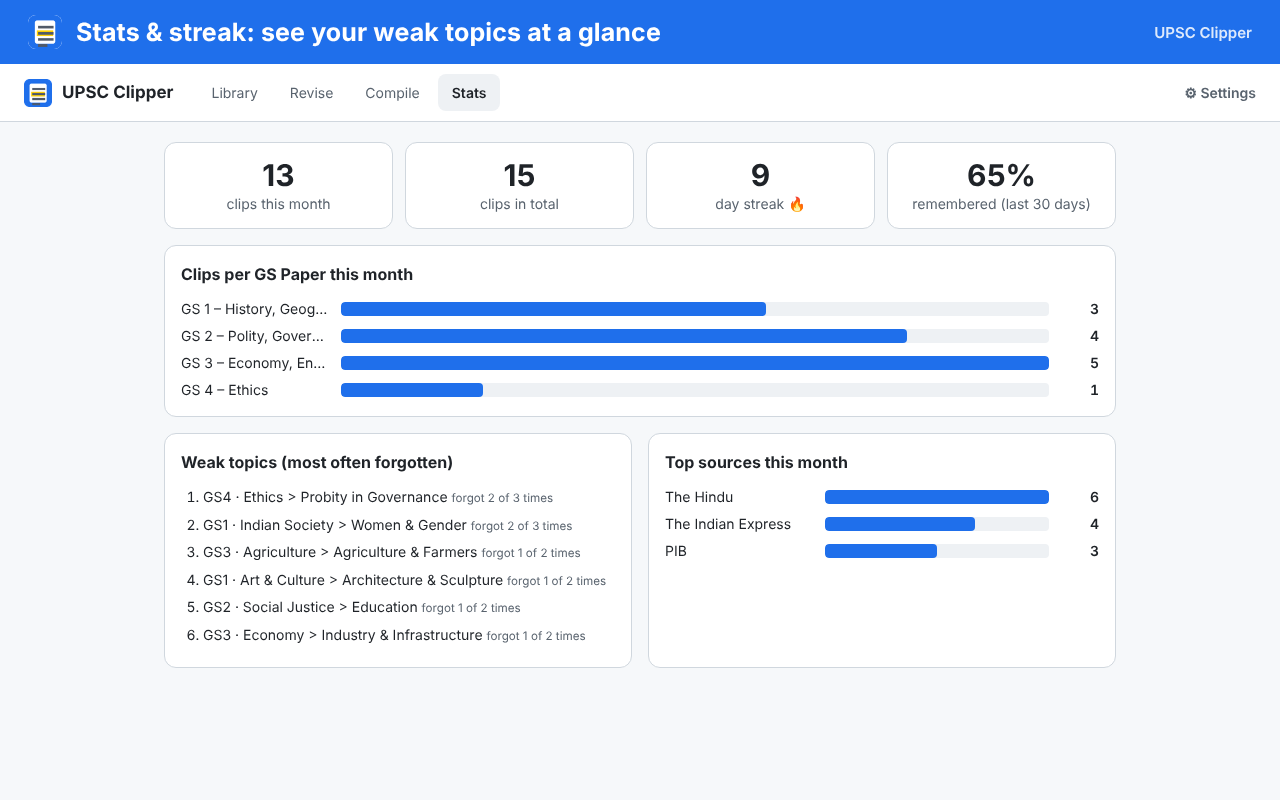
| Stats: clips per GS paper, weak topics, recall % | — |
Plans
Pricing
Start free. Upgrade when you want revision, PDFs and stats. One licence works on 2 computers.
Yearly
Save ₹1,389 vs monthly
- All Pro features
- Renews every year
- Cancel anytime
Lifetime
- All Pro features
- Pay once, no renewals
- For the life of the product
Payments are handled securely by Dodo Payments (cards, UPI and more). We never see your card or UPI details. Prices in Indian Rupees; taxes may apply at checkout.
FAQ
Questions
How do I get my licence key?
Right after you pay, Dodo Payments emails your licence key to the email address you used at checkout. Check your spam folder if you don't see it within a few minutes.
How do I activate Pro?
Click the UPSC Clipper icon in Chrome → ⚙ Settings → Your plan → paste the key into Enter licence key → Activate. You'll see "Pro – Monthly ✓" (or Yearly / Lifetime).
Can I use it on 2 computers?
Yes. One licence key works on 2 computers at the same time. To move it to a new computer, open Settings on the old one and click Remove licence from this computer, then activate on the new one.
Can I cancel?
Yes, anytime, using the link in your Dodo Payments receipt email. Pro stays active until the end of the period you already paid for, then the extension goes back to the Free plan. Your clips are never deleted.
Is my data private?
Yes. Your highlights, notes and tags never leave your computer. The only thing the extension sends anywhere is your licence key to Dodo Payments, to check that it is valid. See the privacy policy.
Refunds?
If Pro doesn't work for you, you can get a full refund within 7 days of your first purchase. See the refund policy.
Read once. Revise on time.
Start free — upgrade when you want revision, PDFs and stats.