AutoFlow · Chrome extension for Google Flow
Hundreds of Google Flow prompts. Numbered files, in exact order.
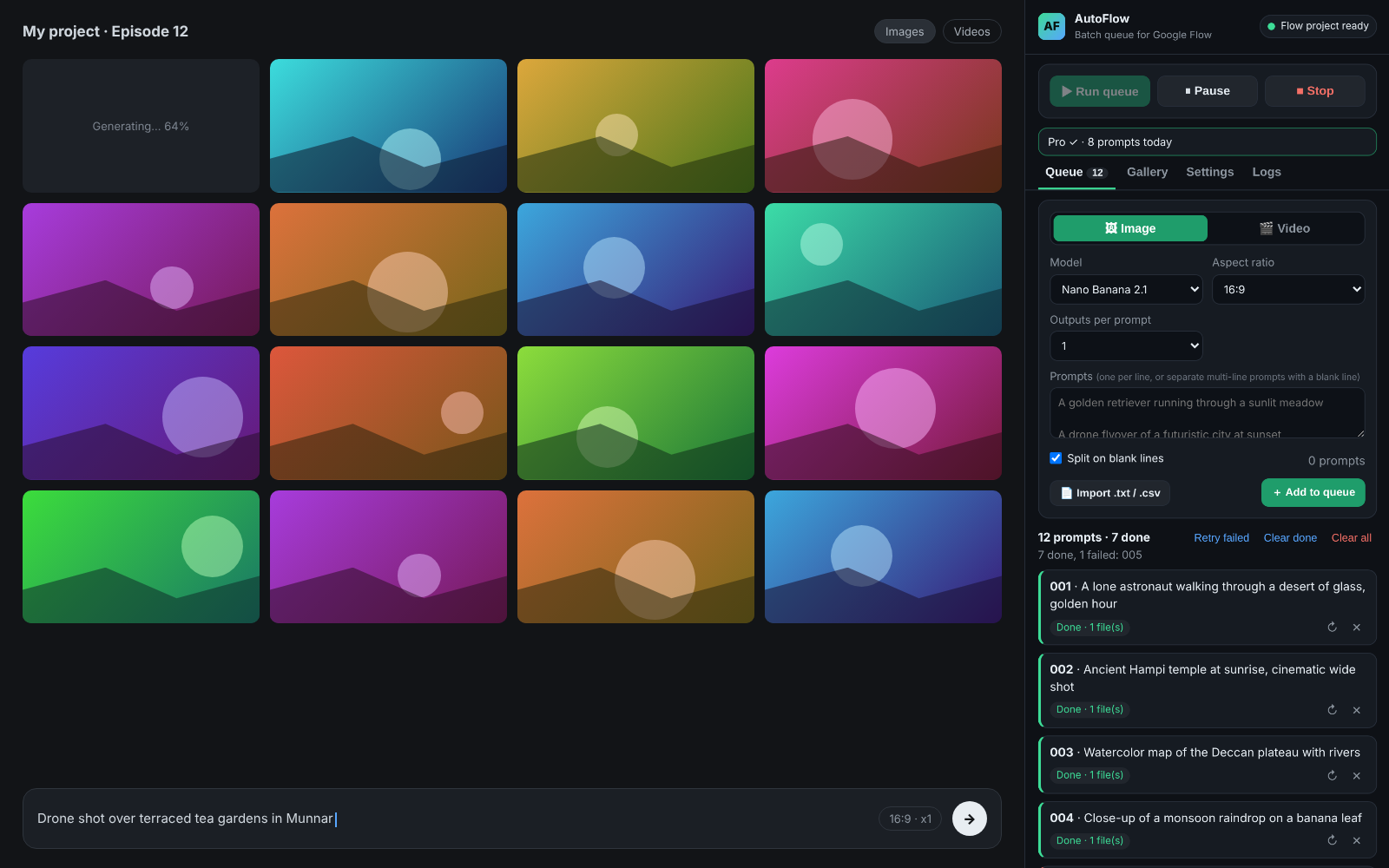
Paste your list and press Run. AutoFlow types each prompt, presses Generate with one real click and saves 001.jpg, 002.jpg, 003.jpg… while you do something else.
🚀 Coming soon: AutoFlow is being reviewed by the Chrome Web Store. Want a message when it's live? Email us.
- Account-safeReal clicks, no hidden requests
- No data leaves your computerPrompts and files stay with you
- Works on any Google accountIncluding /u/1/, /u/2/ …
- Exact numberingPrompt 44 is always 044
See it run
Press Run. Walk away. Come back to a folder in order.
Features
Built for creators who need hundreds of images in the right order
YouTube explainers, faceless channels, storybooks, courses — if your script has 300 scenes, AutoFlow makes 300 files that match it.
Every prompt owns its number
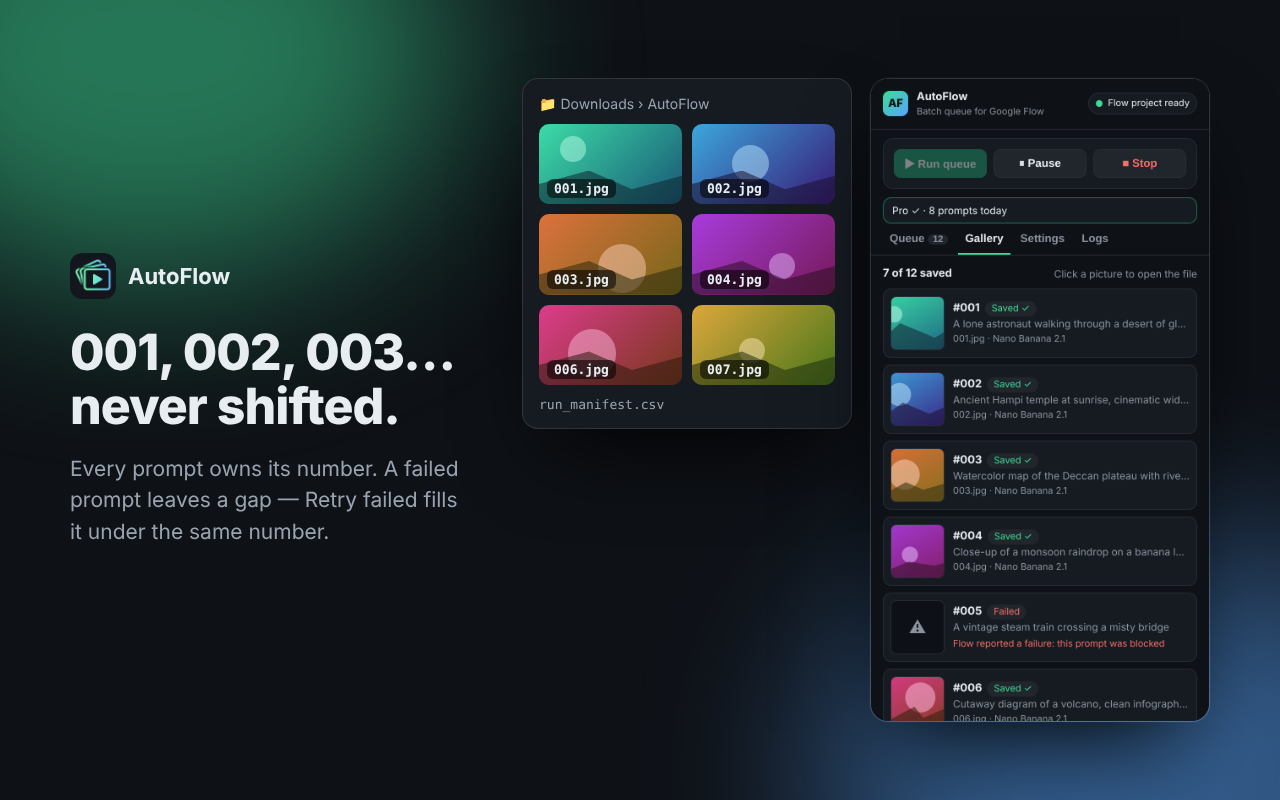
File names come only from the prompt's own number: prompt 44 is always 044.jpg, even after retries.
Failed? The gap stays
A blocked prompt leaves its number empty — nothing shifts. Retry failed re-makes only those, under their original numbers.
Duplicate guard
Each saved picture is fingerprinted. The same image is never saved for two prompts, and a file of another prompt is never overwritten.
Images and videos
Nano Banana, Veo 3.1 and Omni. Pick the model, aspect ratio, 1–4 outputs per prompt, duration and resolution.
Save anywhere, named your way
Downloads or any folder you choose. 001, prompt-001 or myvideo-001 — variants as 044_b, 044_c.
Slows down when Flow is busy
Speed presets, and automatic waits when Flow says "too many requests" — so long runs keep going for hours.
Auto-switch model on limit
When a model hits its daily limit, AutoFlow switches to the next one in the same family and retries the same prompt.
run_manifest.csv
A report of every run: number, status, file name, attempts and a fingerprint — perfect for editing timelines.
Gallery & logs
One row per prompt with thumbnail and status, plus searchable logs in India time.
Account-safe
Real clicks, no hidden requests.
AutoFlow works like a person using the Flow website: it types into the prompt box and presses the buttons. Everything runs in your own browser, on your own Flow account and credits.
- Types and clicks like you do — in the normal Flow page, one prompt at a time.
- Waits for each result and paces itself; it slows down when Flow is busy.
- Keeps everything local — your prompts and files never touch our servers (we don't have any).
What AutoFlow never does
- Never calls Google's internal servers directly
- Never touches or bypasses captchas
- Never asks for your Google password or uses Google sign-in
- Never sends several prompts at once behind your back
- Never uploads your prompts or pictures anywhere
How it works
Three steps
Open Google Flow
Sign in at flow.google.com as usual (any account) and open a project — or let AutoFlow create one.
Paste your prompts
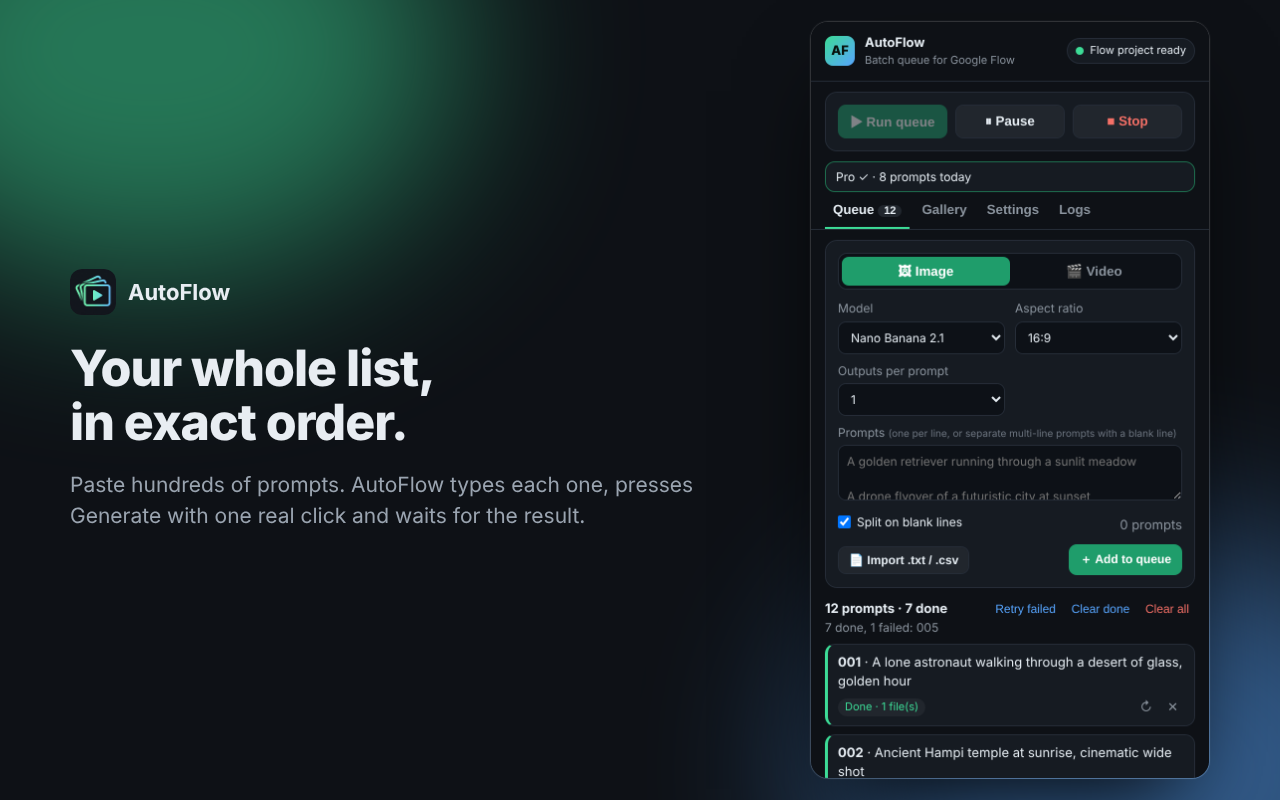
One per line in the AutoFlow side panel — or import a .txt / .csv. Each prompt gets its number right away.
Press Run
AutoFlow types, generates and saves
001,002,003… Pause, stop or retry failed anytime.
Screenshots
A calm side panel for a long queue
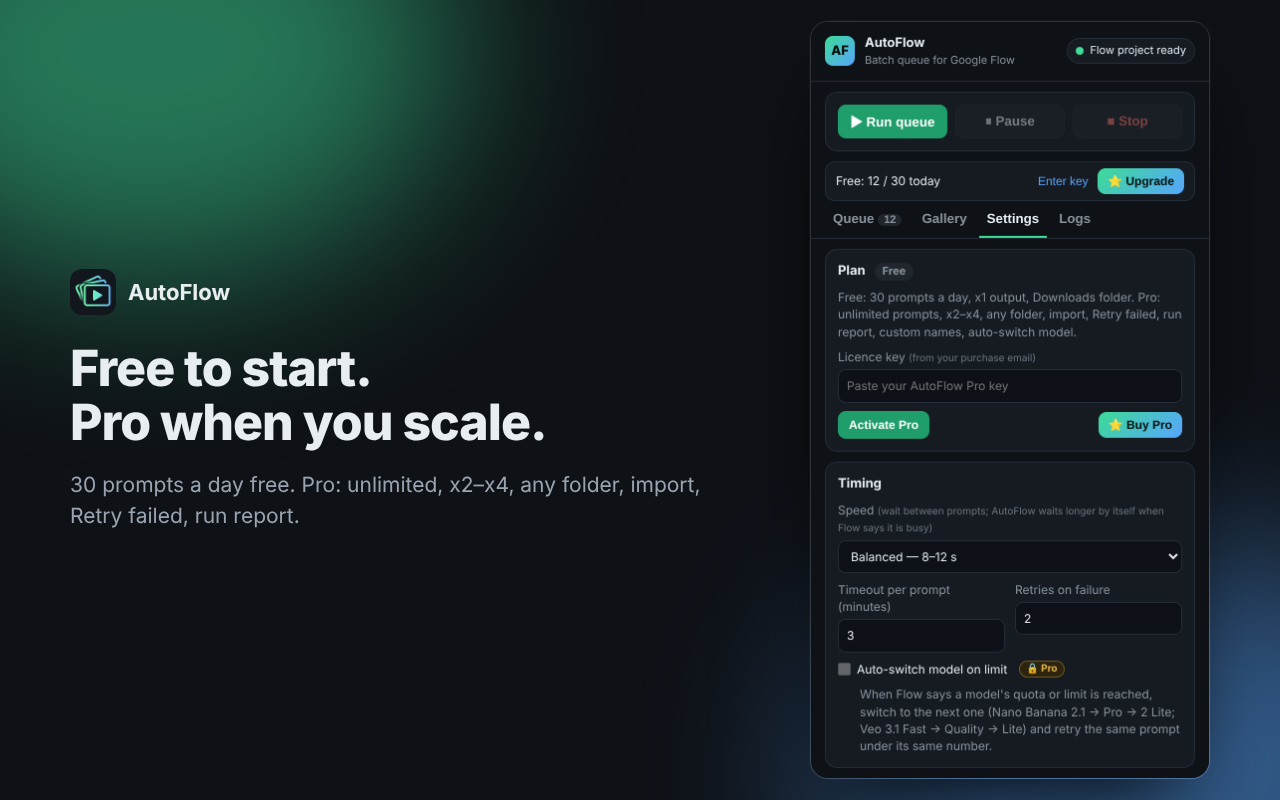
Free vs Pro
Start free. Upgrade when you scale.
| Feature | Free | Pro |
|---|---|---|
| Prompts per day | 30 | Unlimited |
| Images and videos (Nano Banana, Veo 3.1, Omni) | ||
| Exact numbering, failed prompts leave a gap, duplicate guard | ||
| Gallery, logs, speed presets, busy slow-down | ||
| Outputs per prompt | x1 | x1–x4 + save all variants |
| Save folder | Downloads | Any folder |
| Import prompts from .txt / .csv | — | |
| Retry failed (original numbers kept) | — | |
| run_manifest.csv report | — | |
| Custom file names (myvideo-001 …) | — | |
| Auto-switch model on limit | — |
Pricing
Simple pricing
Start free. Go Pro monthly or yearly, or pay once for life. One licence works on 3 computers.
Free
Forever. No card, no sign-up.
- 30 prompts a day
- Images and videos, x1
- Saved in Downloads as 001, 002 …
- Exact numbering & duplicate guard
Pro Monthly
Billed monthly. Cancel anytime.
- Unlimited prompts
- x2–x4 + save all variants
- Any folder, custom names
- Import, Retry failed, run report
- Auto-switch model on limit
Pro Yearly
Save 69% vs monthly
- Everything in Pro
- Billed once a year
- Cancel anytime
- 3 computers
Pro Lifetime
Pay once, no renewals.
- Everything in Pro
- All future updates
- 3 computers
Checkout opens as soon as AutoFlow is live on the Chrome Web Store. Email us to be told first.
Payments are handled securely by Dodo Payments (cards, UPI and more). We never see your card or UPI details. Taxes may apply at checkout. 7-day refund on your first purchase — see the refund policy.
FAQ
Questions
Why does Chrome say "AutoFlow started debugging this browser"?
Google Flow only accepts a real mouse click on its Generate button — it ignores clicks made by scripts. Chrome's debugger permission is the only way an extension can make that one real click. AutoFlow uses it only while a run is active and only to press Generate; the yellow bar disappears as soon as the run pauses, stops or finishes.
Please don't press Cancel on that bar during a run — if you do, AutoFlow simply pauses and waits for you to press Resume.
Is it safe for my Google account?
AutoFlow works like a person: it types into Flow's prompt box and presses its buttons, one prompt at a time, at a human pace, and slows down when Flow is busy. It never calls Google's internal servers directly, never touches captchas and never asks for your password. As with any tool, follow Google's terms for Flow.
Does it use my Flow credits?
Yes — AutoFlow runs inside your own Google Flow account, so each generation uses your own credits and daily limits, exactly as if you pressed Generate yourself.
Does it work with my second Google account (/u/1/)?
Yes. Open Flow with any account — flow.google.com/u/1/ included — and AutoFlow continues on that tab. If you switch accounts mid-run, it carries on in the new tab.
What happens when a prompt fails?
Its number stays empty and the next prompt still gets its own number — nothing shifts. AutoFlow retries it up to 2 more times; with Pro, Retry failed re-makes all failed prompts later under their original numbers.
Where are my files saved?
Free: in your Downloads folder, inside a subfolder (default AutoFlow). Pro: in any folder you pick with Browse. Names: 001.jpg, 002.mp4 …
How do I activate Pro?
After payment you get a licence key by email. Open the AutoFlow side panel → Settings → Plan → paste the key → Activate Pro. Step-by-step: activating Pro.
On how many computers can I use one licence?
3 at the same time. To move it, open Settings on the old computer and click Remove from this computer, then activate on the new one.
Do you store my prompts?
No. AutoFlow has no server. Prompts, settings and files stay on your computer; only a Pro licence key is checked with our payment provider. See the privacy policy.
Can I cancel or get a refund?
Monthly and Yearly: cancel anytime from the link in your Dodo Payments receipt; Pro stays active until the end of the period you paid for. Refunds: full refund within 7 days of your first purchase — see the refund policy.
Is AutoFlow made by Google?
No. AutoFlow is an independent tool by Deccan Web Studio — not affiliated with, endorsed or sponsored by Google.
Your next 300 images, already numbered.
Free to start — 30 prompts a day, no sign-up.